Robotics
Robotics Classes for Kids
Build, wire, and program real robots with sensors, circuits, and Arduino
- Grades
- Class 3–10
- Duration
- 38 live sessions
- Projects
- 10+ activities
- Rating
- 4.9 (185+)
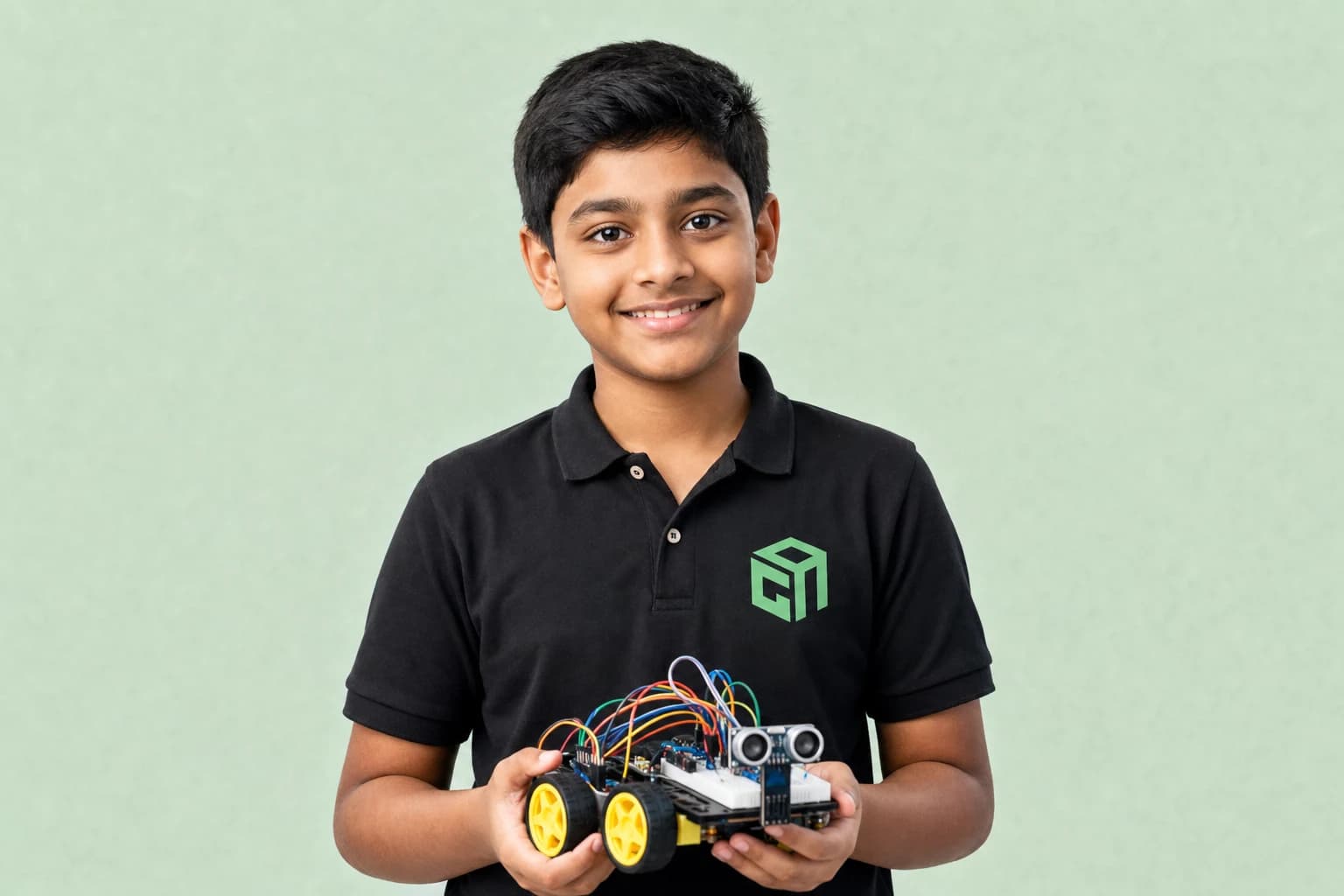
8+ Robot Builds
- Electronics, sensors, motors & circuits hands-on
- Program robots with real coding logic live
- Line-followers, obstacle avoiders & Arduino builds
- 38 live sessions of guided robotics projects
What Robotics covers
GeekashramJr's Robotics course teaches Class 3–10 students to build and program real robots through live online classes over 6–9 months. The module path covers electronics basics (LEDs, buzzers, sensors), programming robot logic, building line-following and obstacle-avoiding bots, and Arduino capstone integration — with mentors guiding kit selection, wiring, and troubleshooting.
By the end, your child will have
- Wired circuits with sensors, motors, LEDs, and buzzers on a breadboard or kit
- Programmed a line-following or obstacle-avoiding robot with real code logic
- Completed an Arduino capstone that integrates multiple sensors and actuators
- Live robotics sessions
- 38Live robotics sessions
- Hands-on robot builds
- 8+Hands-on robot builds
- Circuits & sensors
- STEMCircuits & sensors
- Real hardware projects
- ArduinoReal hardware projects
This course is for your child if they are…
A Tinkerer
Loves building, fixing, or taking things apart to see how they work.
A STEM Explorer
Wants science and coding connected through physical projects.
A Hands-on Learner
Learns best when they can see motors, LEDs, and sensors respond.
A Future Inventor
Dreams of robots, automation, and real-world engineering.
Robotics syllabus at a glance
Typical full-course pace: 38 live sessions. Modules run in order, and mentors adjust depth to the student.
| # | Module | Duration | Topics covered | Projects |
|---|---|---|---|---|
| 1 | Electronics | 8–10 sessions | Breadboards, power, and safe wiring; LEDs, buzzers, buttons, and sensors; Reading simple circuit diagrams | LED power test; Buzzer + button circuit |
| 2 | Programming | 8–10 sessions | Input/output and control logic; Motor control and movement patterns; Debugging hardware step by step | Motor control demo; Sensor input lab |
| 3 | Robot Builds | 8–10 sessions | Line-following robot project; Obstacle-avoiding bot; Sensor-based automation challenges | Line-following robot; Obstacle-avoiding bot |
| 4 | Arduino | 8–10 sessions | Arduino setup and programming; Integrate sensors and actuators; Final robotics capstone build | Arduino multi-sensor capstone |
Projects students actually build
A sample of the work that comes out of Robotics — every one built live with a mentor, not followed along from a video.
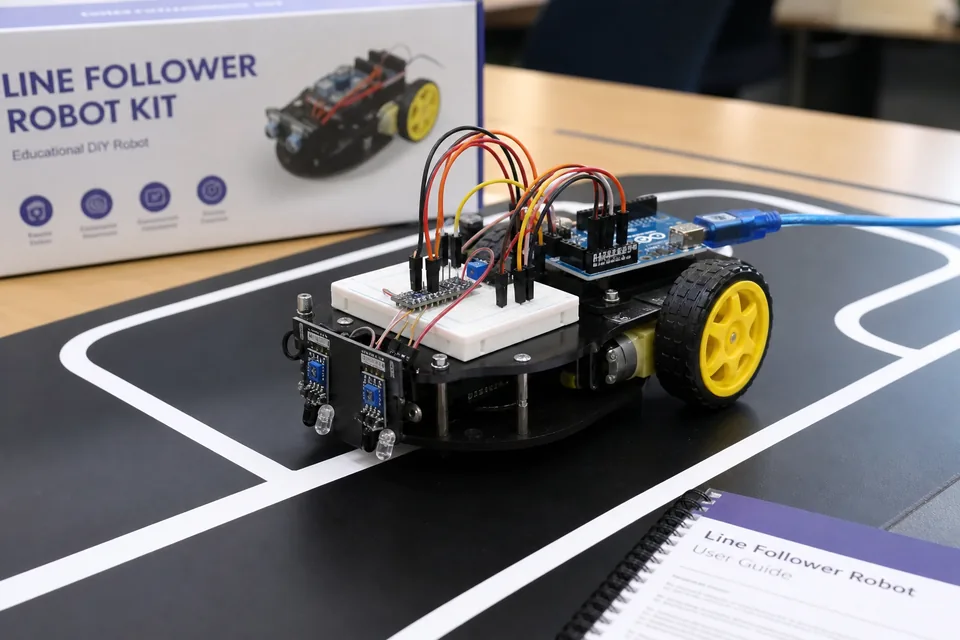
Line-following robot
A wheeled bot that reads IR sensors and adjusts motor speed to stay on track — core robotics programming with live debugging support.
- Sensors
- Motors
- Control logic
Obstacle-avoiding bot
Ultrasonic or IR distance sensing triggers stop/turn behaviour — students learn sensor fusion and conditional logic.
- Ultrasonic
- Conditionals
- Debugging
Arduino capstone build
A multi-component project combining motors, sensors, and programmed behaviours — the final showcase robot for the course.
- Arduino
- Integration
- Capstone
Skills covered
- Real robots
- Sensors & circuits
- Block coding
- Text-based coding
- Problem solving
Prerequisites & who can join
No prior robotics experience needed. Mentors guide kit selection and safe setup — families receive hardware guidance before advanced builds.
- Grade range
- Class 3–10
- Estimated duration
- 38 live sessions
- Class format
- Live online with GeekashramJr mentors
Robotics — questions parents ask
Straight answers on syllabus depth, projects, pace and pricing for live Robotics classes.
GeekashramJr's Robotics course teaches Class 3–10 students to build and program real robots through live online classes over 6–9 months. The module path covers electronics basics (LEDs, buzzers, sensors), programming robot logic, building line-following and obstacle-avoiding bots, and Arduino capstone integration — with mentors guiding kit selection, wiring, and troubleshooting.
Robotics is taught live module by module (38 live sessions). Parents can review the full syllabus table on this page — topics, projects, and typical session time per module — plus download the curriculum brochure.
Students complete mentor-guided projects throughout the course. By the end they typically have: Wired circuits with sensors, motors, LEDs, and buzzers on a breadboard or kit; Programmed a line-following or obstacle-avoiding robot with real code logic; Completed an Arduino capstone that integrates multiple sensors and actuators. Sample project screenshots and walkthroughs are shown above.
Robotics is for students in Class 3–10 (Class 3 to 12 at GeekashramJr). No prior robotics experience needed. Mentors guide kit selection and safe setup — families receive hardware guidance before advanced builds.
GeekashramJr Explorers starts at ₹499 per session (5 students), Champions is ₹799 per session (3 students), and Super Mentors 1:1 is ₹999 per session. Try a session to see the teaching style before choosing a plan. The trial fee is adjusted on enrolment.
Classes are live online with GeekashramJr mentors — not passive video courses. Students get real-time feedback, debugging help, and project reviews in every session.
Mentors guide families on kits and simulators. Many students start with guided setups and scale up. We help with wiring, testing, and making robots work during live classes.
Students work with sensors, motors, LEDs, circuits, and Arduino — building line-following robots, obstacle-avoiding bots, and STEM projects with hands-on mentor support.
Yes, with low-voltage kits and mentor guidance. Younger students start with LEDs, buzzers, and breadboard basics before motors and Arduino capstones.
Yes. The syllabus connects electronics with programming logic — input/output, motor control, sensors, and debugging hardware and code together.
Related reading
Parent guides and STEM articles that pair well with Robotics.
- Robotics7 Minutes
Arduino for Beginners: A Parent's Guide (No Engineering Degree Needed) | 2026
Arduino is a beginner-friendly electronics board kids use to make lights, sensors, and robots respond to code. Parents do not need an engineering degree — just a laptop, a starter kit, and live mentor guidance.
Read - Robotics6 Minutes
Line-Follower Robot for Kids: How It Works (Beginner Guide) | 2026
A line-follower robot uses IR sensors to detect a dark line on a light floor, then adjusts left/right motors to stay on track. Here is how it works for beginner kids robotics.
Read - Robotics6 Minutes
Obstacle-Avoiding Robot for Kids: Beginner Build Guide | 2026
An obstacle-avoiding robot uses an ultrasonic (or IR) distance sensor to stop or turn before hitting objects. This beginner guide explains the logic kids learn before building one in class.
Read - Robotics6 Minutes
Sensors 101: LDR, Ultrasonic, and PIR Explained for Kids | 2026
LDR senses light, ultrasonic measures distance with sound, and PIR detects motion from body heat. This kids-friendly sensors 101 explains each one with simple uses in school robotics projects.
Read - Robotics5 Minutes
Breadboard Guide for Beginners: How Kids Build First Circuits | 2026
A breadboard lets beginners build electronics circuits without soldering. This 2026 kids robotics guide explains breadboard sections, power rails, jumper wiring, and a simple LED experiment step by step.
Read - Robotics3 Minutes
How to Test a Buzzer on a Breadboard (Kids Robotics) | 2026
Learn how to test a piezo buzzer on a breadboard with a 5V supply, push button, and optional LED indicator. A simple kids robotics project that teaches polarity, switches, and sound circuits.
Read
Not sure which track fits your child?
Book a 45-minute trial session. A mentor works with your child, sees how they think, and recommends the track. The trial fee is adjusted if you continue.